

Integration & Data
Integration & Data

Tracking and analytics, tied to revenue

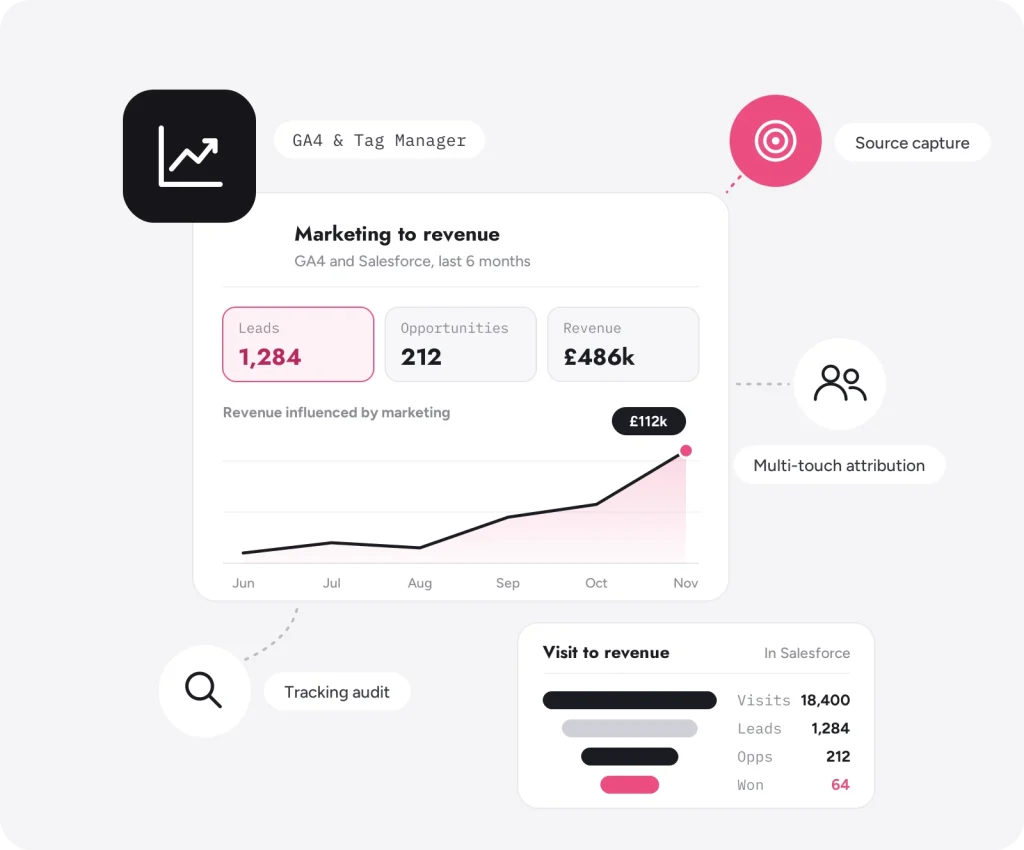
Reporting is most useful when it tracks a lead all the way to a booking or sale. We connect your website, booking tools and ad platforms to your CRM or practice system, so reports show which campaigns win customers.

At a glance
Scoped and priced in
Statement of work
Destinations
Salesforce, practice systems, Google Ads, other CRMs
Analytics tools
GA4, Google Tag Manager (web and server-side), Consent Mode

Why the reporting stops short

The data usually exists. It just never meets in one place.

  1. Tracking that breaks quietly

    Tags and forms change over time, and nobody notices the data has stopped until a report looks wrong.

  2. Leads without a source

    Campaign details are lost between the website and the CRM, so opportunities look like they came from nowhere.

  3. Credit to the last click

    Reports reward whatever happened just before the form fill and undervalue everything that built the interest.

tracking-and-analytics-illustration

What's included

Scoped per project. Definitions are agreed with sales and marketing before anything changes.

  1. Tracking audit

    What your website, forms, booking tools and campaigns record today, where that data goes, and where it gets lost.

  2. Measurement plan

    The events, fields and definitions agreed with sales and marketing, written down before anything is built.

  3. Server-side and first-party tagging

    Google Tag Manager on the web and server side, with first-party tagging and Consent Mode v2 set up so measurement respects each visitor's choice.

  4. Offline conversion pipelines

    Appointment and sales outcomes sent back to Google Ads and other ad platforms, so bidding learns from real customers.

  5. Tracking across sites

    Campaign data carried from your website through a separate booking site and into your CRM, so every booking keeps its source.

  6. Dashboards and handover

    Reports sales and marketing both sign off, plus training so your team can build its own.

How a tracking project runs

Stages follow our delivery process. Durations depend on how many sites and channels are involved.

  1. Scope

    Sales and marketing agree a statement of work covering solution, timeline, team and cost.

  2. Audit and map

    A tracking audit and a workshop that agrees what counts as a lead, an opportunity and a win.

  3. Design

    Events, fields, consent and attribution rules written into the measurement plan for your sign-off.

  4. Build and test

    Tracking and reports built with regular show-and-tells, then checked against real leads.

  5. Launch

    Dashboards live, your team trained, and ours on standby for user and technical support.

Technical scope

For the people who'll sign the scope off. Everything here is confirmed in the audit before we quote the build.

Destinations
Salesforce, practice management systems, Google Ads, other CRMs
Analytics tools
GA4, Google Tag Manager (web and server-side), Consent Mode
Tagging
Server-side and first-party tagging, Consent Mode v2, offline conversion import
Data captured
Campaign source, form submissions, bookings, lifecycle stage, opportunity influence
Reporting
Customer lifecycle and multi-touch attribution
Deliverables
Tracking audit, measurement plan, dashboards, training

Questions

Yes. We track the journey across a website and a separate booking site or platform, so you can see where people drop out at each stage and every booking keeps its campaign source.

The audit starts with what you already record, so we keep what works and fix what doesn't rather than starting again.

The one your sales and marketing teams agree reflects how you win customers. We compare models against your own closed deals before recommending one.

Daily, monthly or at whatever interval suits your team. The dashboards are yours, so your team can also run them any time.

Book a free consultation

Tell us what needs to change and talk it through with a specialist. The first conversation is free.